
SSH, SFTP, remote desktop, and serial
All your servers, securely in one place
A cross-platform application that manages SSH, SFTP, remote desktop, and serial connections in one window.
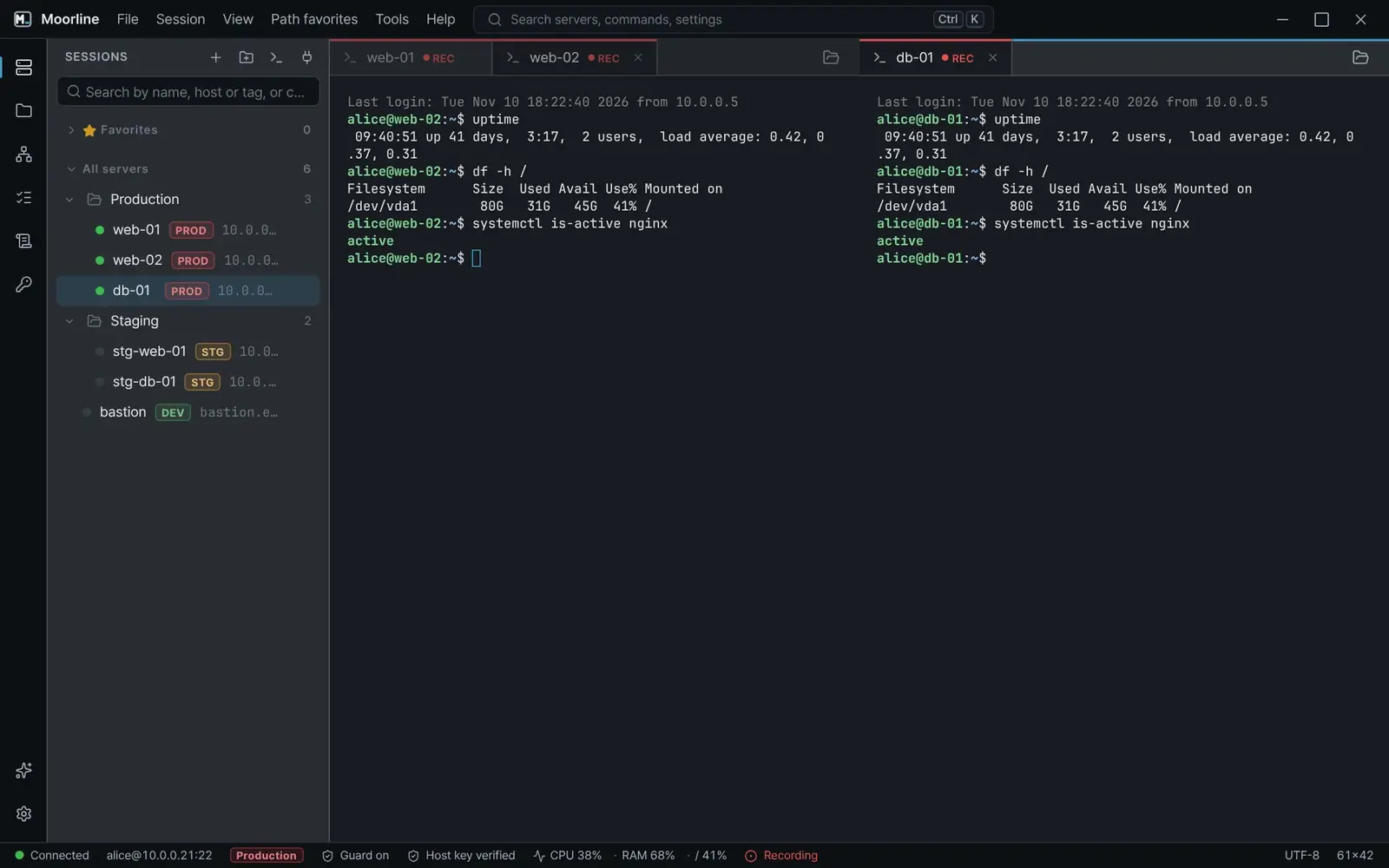
Who it is for
Who uses it
Press a card to show only the tasks that fit.
Running many servers
Cuts the repeated work of doing the same task on each server.
Developers who deploy and debug on servers
File comparison, log analysis, and internal network connections in one window.
Security, audit, and team administrators
Keeps passwords in one place and lets you verify connection records.
Moving from another connection tool
Imports the server list you already have.
Main features
Features that cut down tedious work
Each row puts the earlier way next to the way it is done in Moorline. The pictures are real app screens.
-
Pro
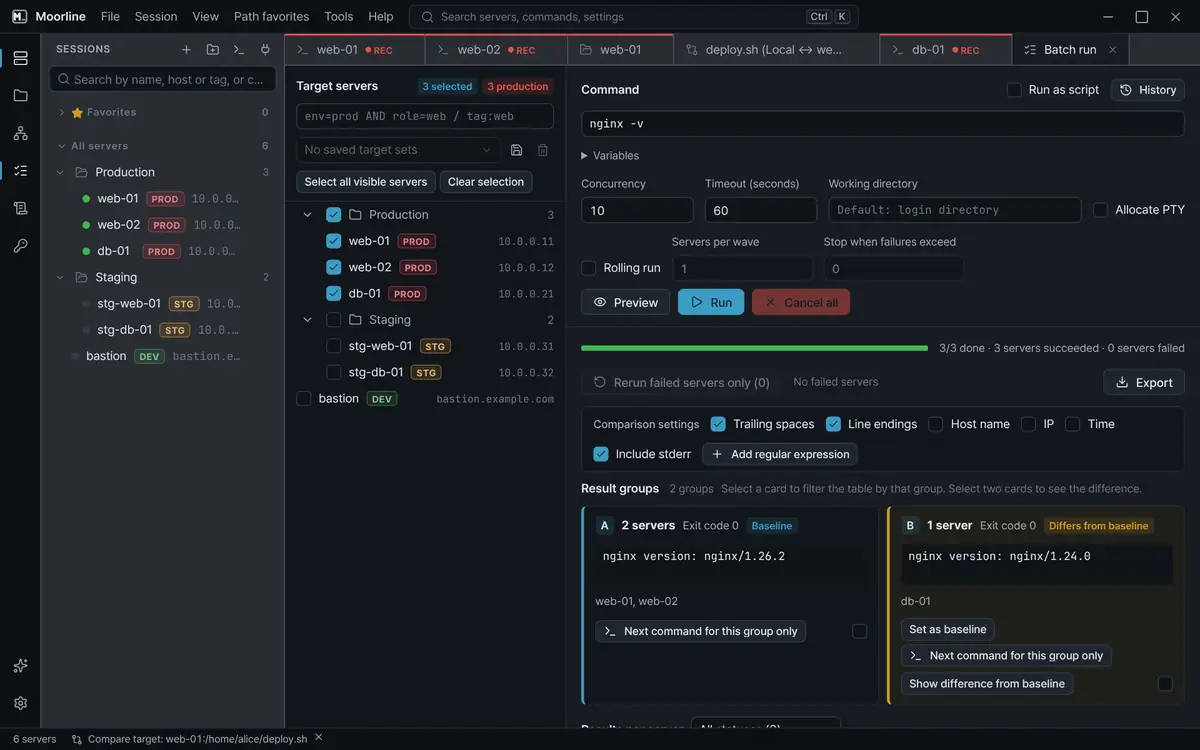
Run repeated commands on many servers in one step
- Before
- You connect to each server, paste the same command, and compare the results by eye.
- In Moorline
- Batch run executes one command on the servers you pick at the same time. Servers with identical output form one group, so the servers that differ are easy to find.
See use casesSpot only the unhealthy servers among dozensRestart web servers one at a time and stop when something fails
-
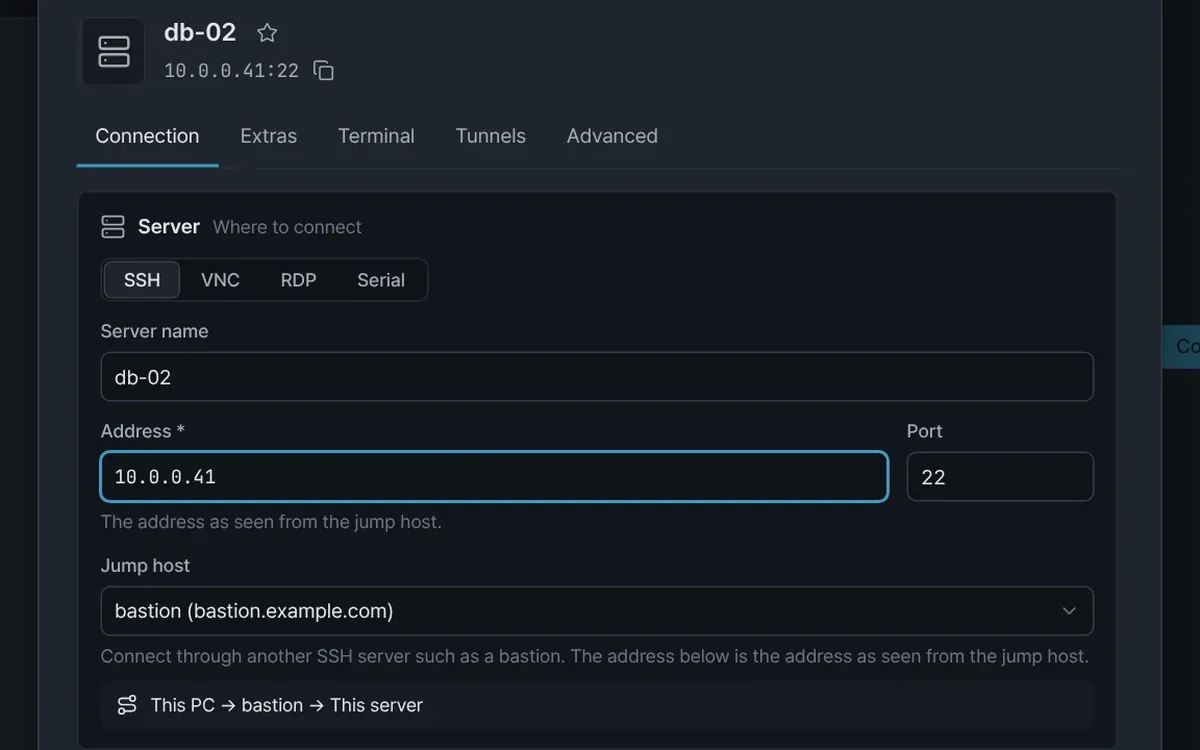
Connect through bastions as one saved server
- Before
- You type the jump and tunnel commands every time and keep a separate window open for the tunnel.
- In Moorline
- Set a jump host on a server, and opening the server connects through it. Jump hosts can be chained. Port forwarding (tunnels) opens internal databases and admin pages on your PC.
See use casesReach the internal nodes of a cluster that only exposes its masterOpen internal admin pages and databases on your own PCReach an internal DB server through two bastions
-
Pro
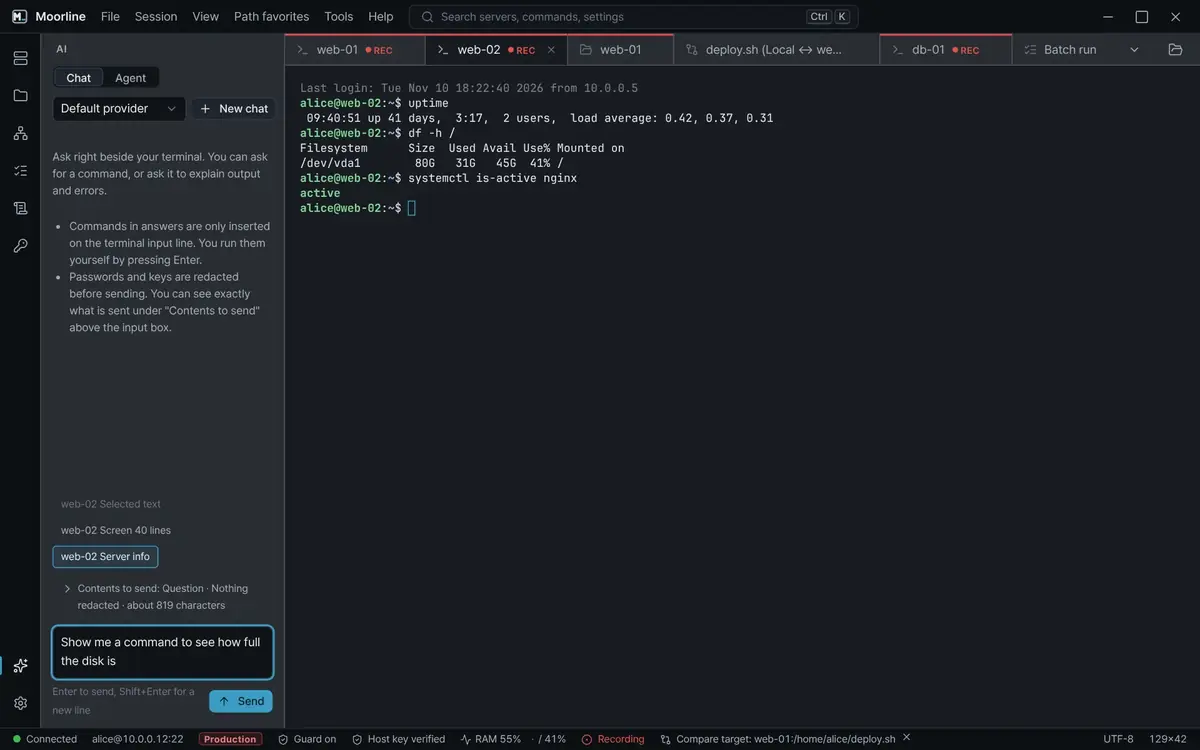
Get commands and error explanations beside the terminal
- Before
- You switch between a search box and the terminal, copying commands and error messages.
- In Moorline
- The AI assistant writes commands and explains errors in a panel beside the terminal. A suggested command is placed on the input line and never run.
See use casesGet an AI explanation of an error and a command to fix it
Pro
See changed files before you upload
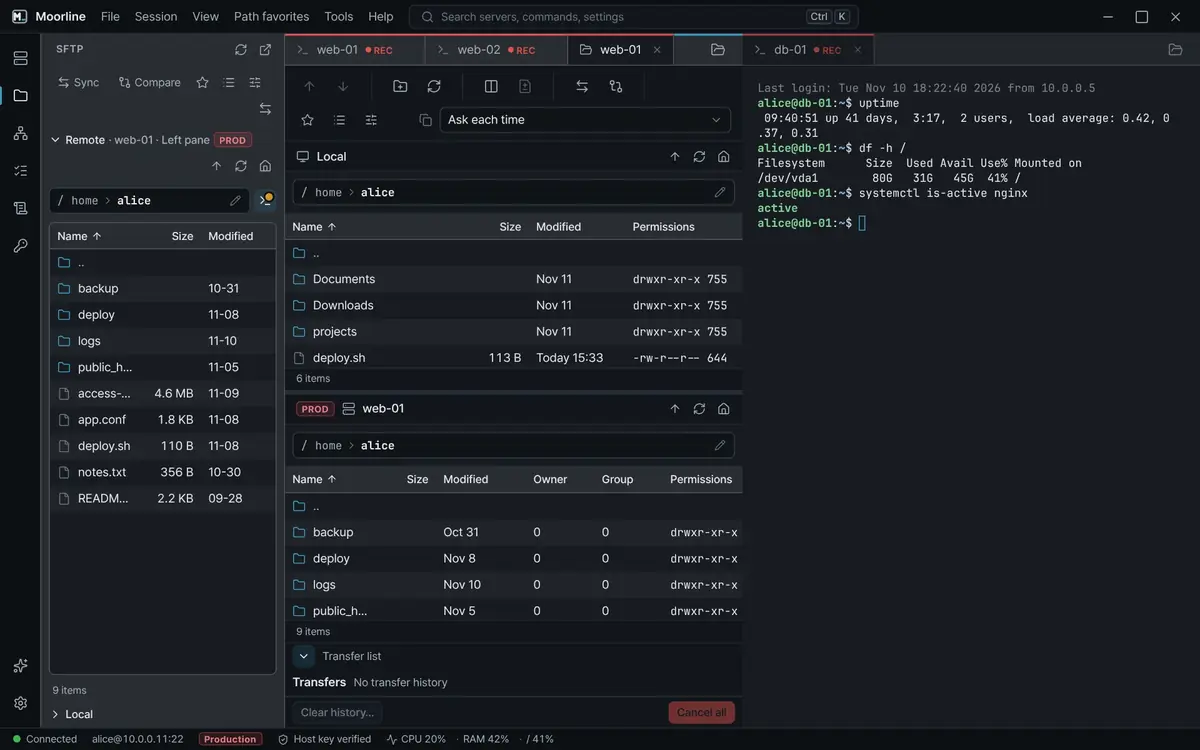
- Before
- You download the files, compare them in a diff tool, and upload them afterwards.
- In Moorline
- Put your PC folder and the server folder side by side, and files that differ are marked by color. Differences inside a file are shown in the same window.
See use casesCheck what differs between a server and your folder before uploading
Pro
Hand off tedious root-cause hunting to an agent
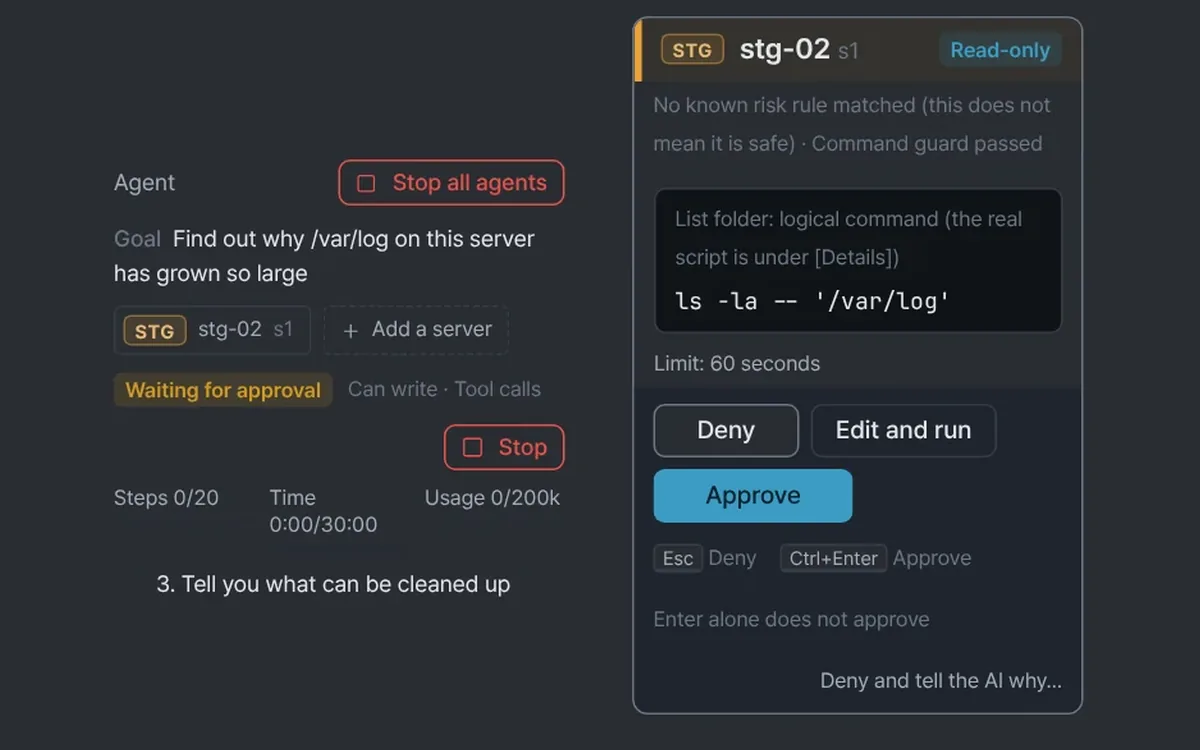
- Before
- You trace the cause yourself, typing one command after another.
- In Moorline
- Give the AI agent a goal and it investigates step by step. It asks with an approval card before each command, and read-only commands can be allowed once for the rest of the run.
See use casesHave the AI agent find why a server's disk is fullCheck servers in your open SSH tabs from an AI tool you already use
Confirm dangerous commands on production before they run
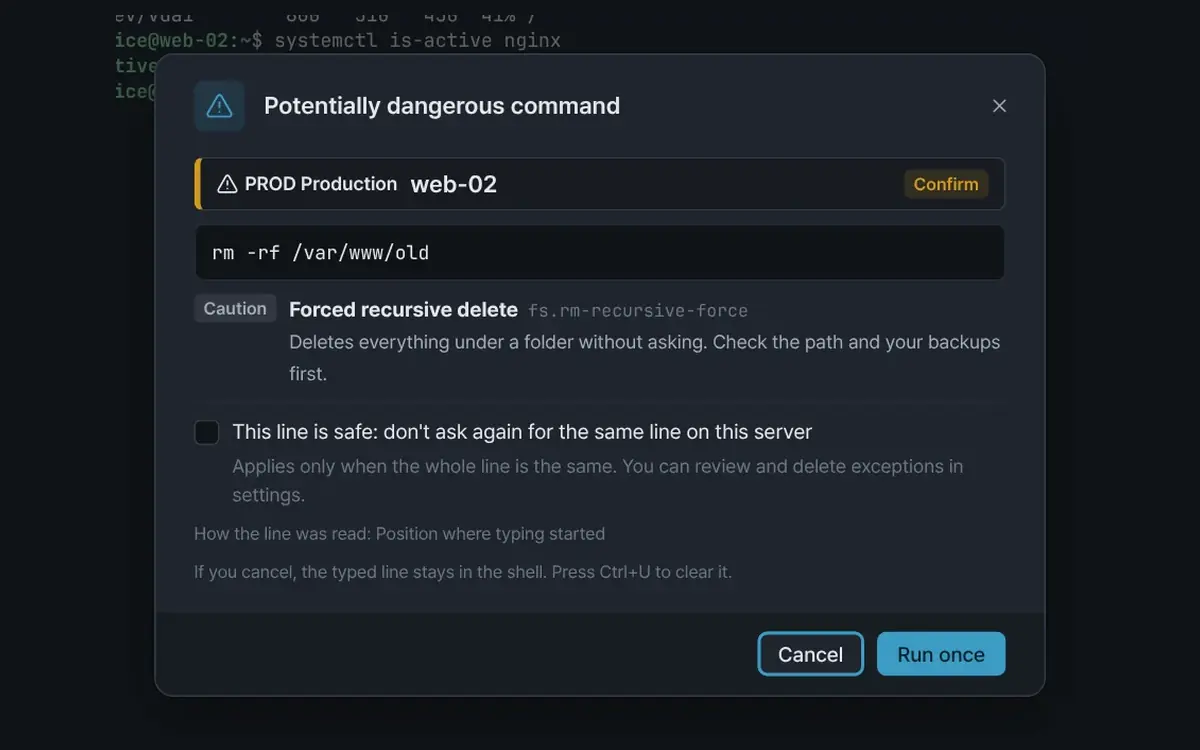
- Before
- A mistyped command runs as it is.
- In Moorline
- For a command such as rm -rf, Moorline shows the server and the reason before it runs. Depending on the rule, it asks you to confirm, to type the server name, or blocks it.
Keep scattered passwords in one encrypted vault
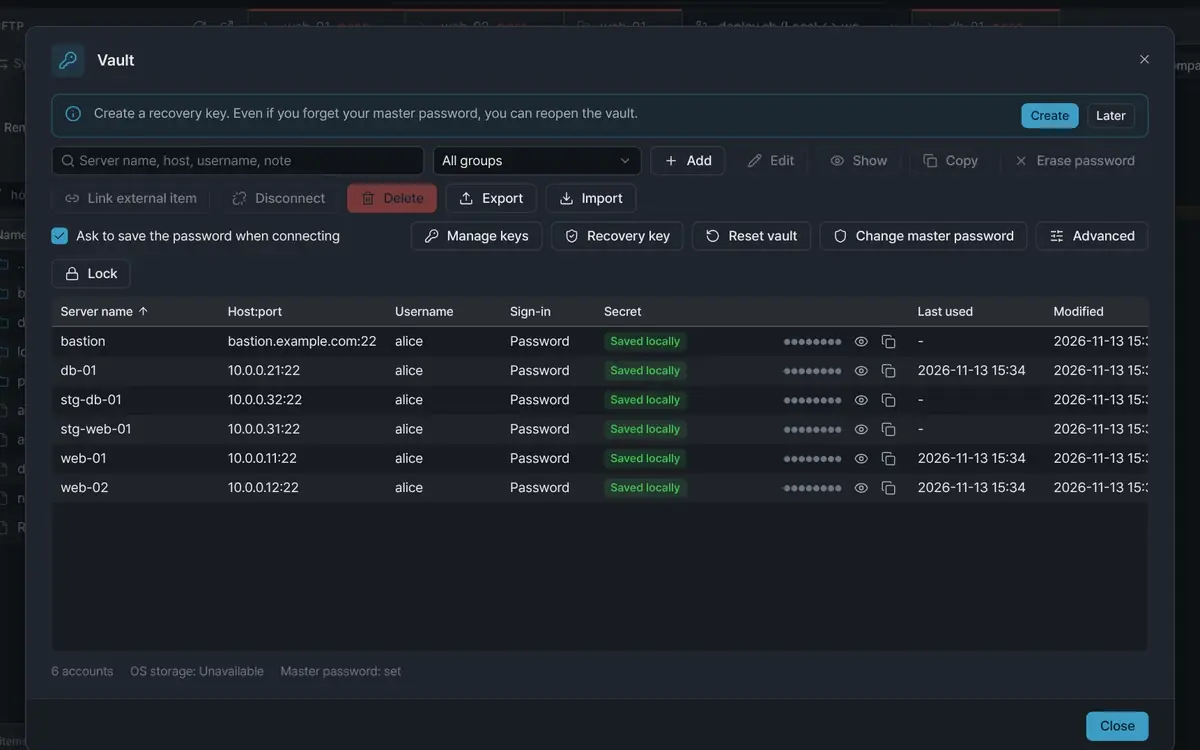
- Before
- You keep passwords in a notepad and a spreadsheet and paste them in. When one changes, you edit several places.
- In Moorline
- Server accounts are stored in a vault encrypted with AES-256-GCM. Link one account to several servers, and a password change is made in one place.
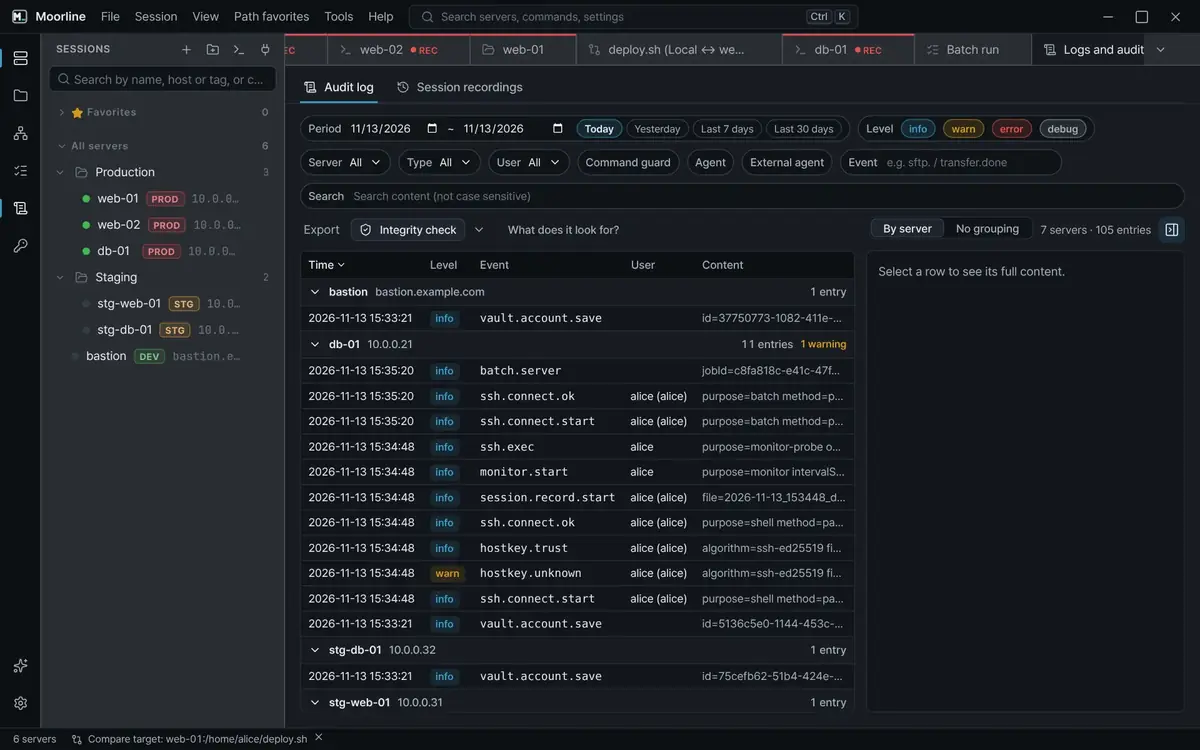
Keep connection and work records you can verify later
- Before
- You collect the records left on each server and organize them by hand.
- In Moorline
- Connections, file transfers, and batch runs are written to a hash chain. The integrity check in the app confirms that no entry was changed or removed.
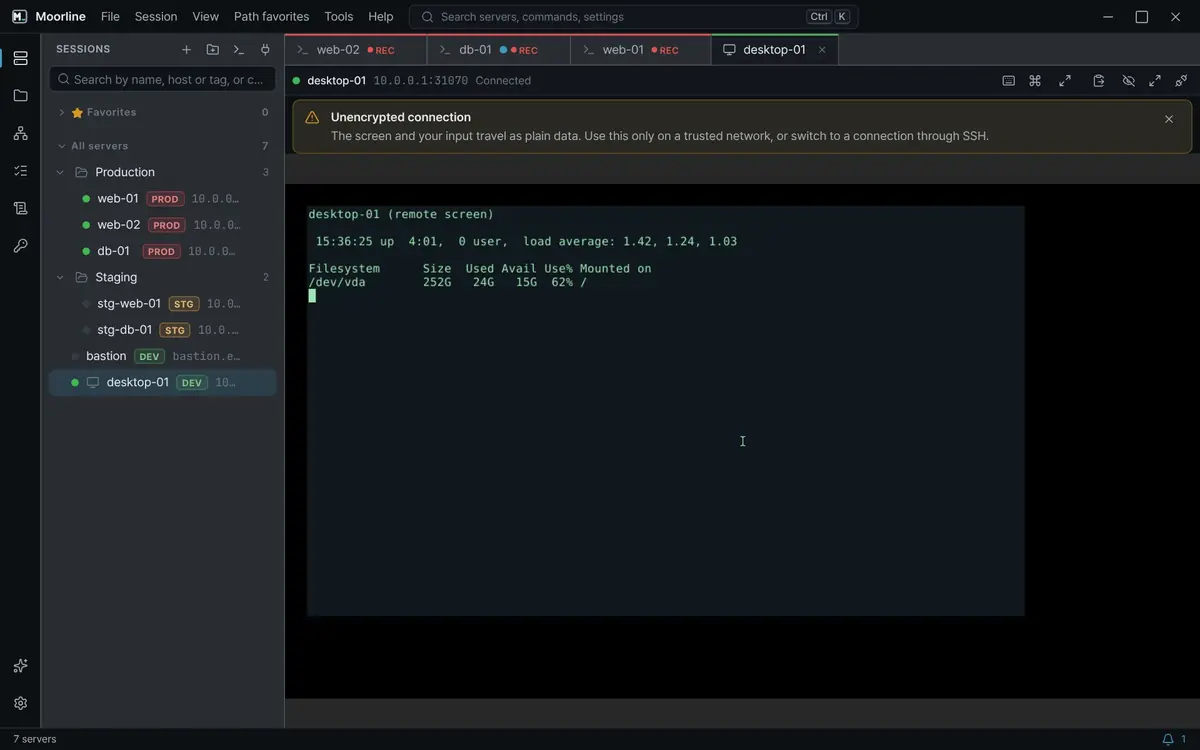
SSH, remote desktop, and serial in one window
- Before
- You open separate tools for SSH, remote desktop, and serial, each with its own server list.
- In Moorline
- SSH, VNC, RDP, and serial servers are saved in one server tree. Every server opens in the same tab view.
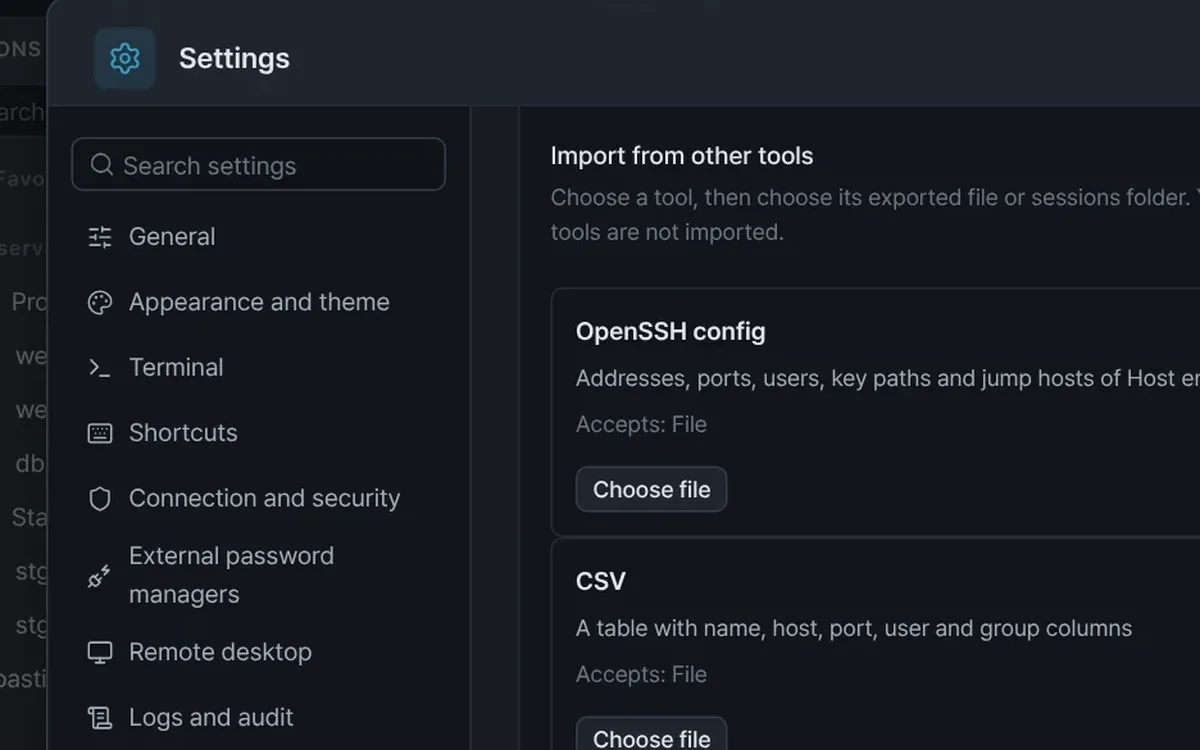
Bring your server list over from the tool you used
- Before
- You type the servers of your old connection tool in again, one by one.
- In Moorline
- Moorline imports servers from other connection tools and SSH config files. Remote desktop, serial, jump host, and forward settings come along.
See use casesMove in the server list from another connection tool
Features
More features
Features not covered above.
Local shell tabs
Open a shell on your PC in a tab and save it in the session list.
Session recording and playback
Record terminal screens and play them back later. Recording is a Pro feature.
Tab notifications
Notifications from tabs you are not looking at appear as a dot and a bell icon.
Server resource status bar
CPU, memory, and disk usage of the connected server appear in the status bar.
Korean and English
The app and its help come in Korean and English.
Themes and terminal settings
Choose a light or dark theme and change the terminal font and colors.
Keyboard shortcuts
Change the shortcut of each command.
Export and import
Export your server list and settings to a file and import them again.
In-app updates
New versions are downloaded in the app, verified by signature, and installed.
Use cases
Use cases by situation
Ways to cut down tedious jobs by using a few features together, grouped by situation.
- Logs and status
See all Docker container logs at once
When a server runs more than ten containers, skip opening one window per container and watch every log in a single view with one double-click.
Duplicate serverRun after sign-inOpen many servers at onceTerminal find - Working with AI
Get an AI explanation of an error and a command to fix it
Send an error from the terminal to the AI assistant and get an explanation of the cause. A suggested command is only placed on the input line, and you run it yourself.
AI assistantExplain the last errorPreview of what is sentSecret redaction - Moving in
Move in the server list from another connection tool
Import the server list saved in the connection tool you used before. Find it on this PC, check the preview, apply, and undo if it is not what you wanted.
Import from other toolsFind on this PCOpenSSH configUndo last import
Administration
For administrators
Admin policy
Lock settings with a policy and roll it out. If the policy cannot be read, Moorline fails closed and denies the action.
Audit log verification
A verification tool confirms that no entry was changed or removed along the way.
Offline activation
Activate a license even on an air-gapped network with no internet access.
Install
Supported platforms
Installers are for 64-bit (x64) systems.
Windows x64
Windows 10 or later. Available as an installer and a portable zip.
InstallerPortable
Linux x64
64-bit distributions with WebKitGTK. Available as a deb package and an AppImage.
debAppImage
macOS Beta
macOS 12 or later. A beta, not signed by Apple.
Every feature is free to try for 14 days
After the trial, you keep using the Free edition. Compare editions